Why dock doors concentrate risk
A dock door is where four things meet: a reversing vehicle, a pedestrian route, a wet or oily floor, and a lot of noise. Nobody can hear a pallet truck coming over a running refrigeration unit, and the driver's attention is split between the trailer, the leveler and the spotter. Floor markings do a specific job in that environment — they tell everyone, at a glance from cab height, where the vehicle is allowed to be and where the person is supposed to walk.
Paint struggles here for a boring reason: dock aprons take impact, chemical spillage and wash-down. Tape lifts within weeks. Projection has one advantage that matters more than brightness — you can move the line when the trailer schedule changes, without closing the door.
1. Threshold stop bar
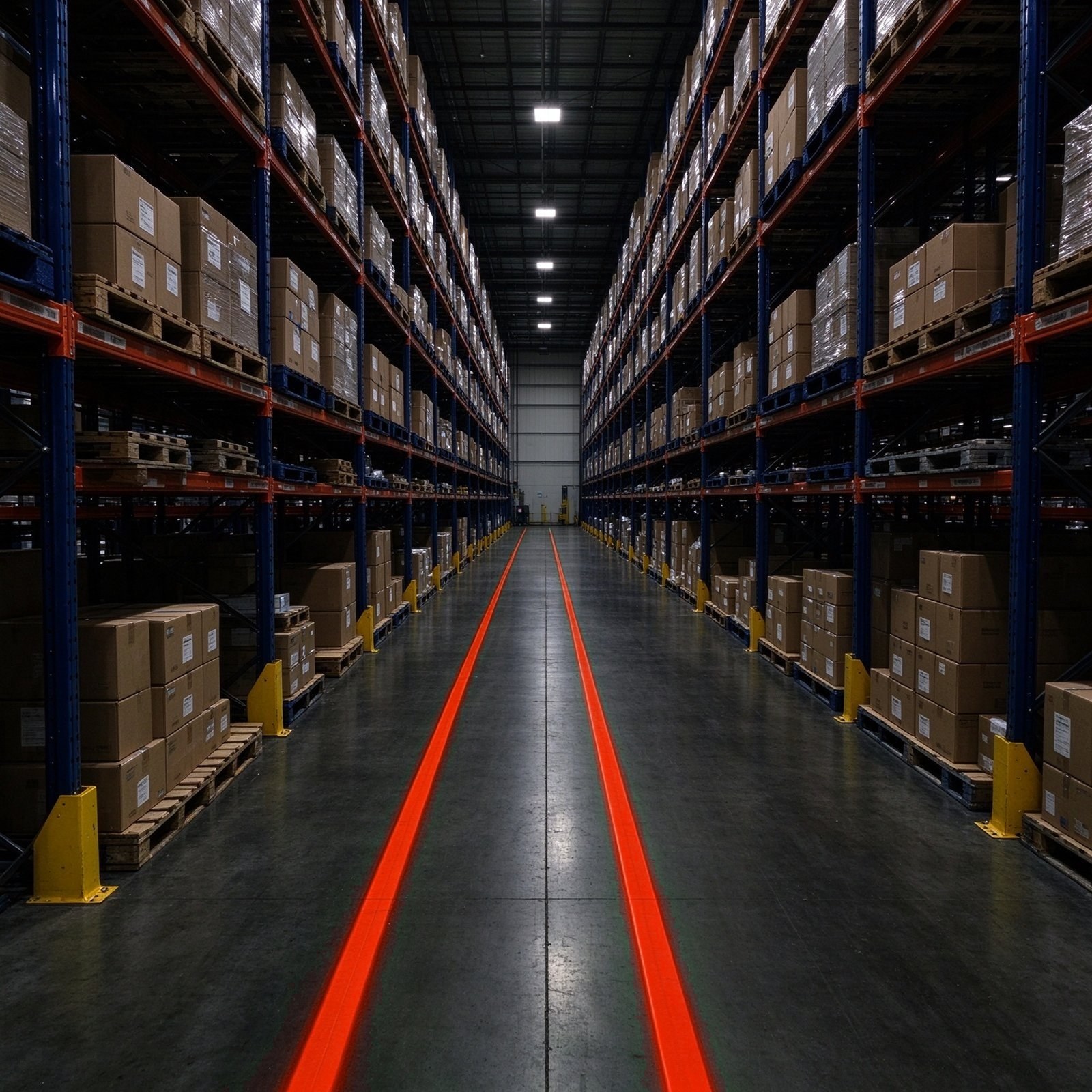
A 100–150 mm red bar across the door opening, set 300 mm inside the door line so it is visible before the vehicle noses in. Purpose: a fixed reference for "stop here while the trailer is being secured". Keep it continuous — a broken bar reads as decoration.
2. Approach arrows
Yellow arrows on the vehicle approach, 2–3 m apart, pointing into the door and repeated on the exit lane. From a forklift cab the arrows confirm the lane before the driver commits to the turn — which is precisely when a pedestrian appears from behind the door frame.
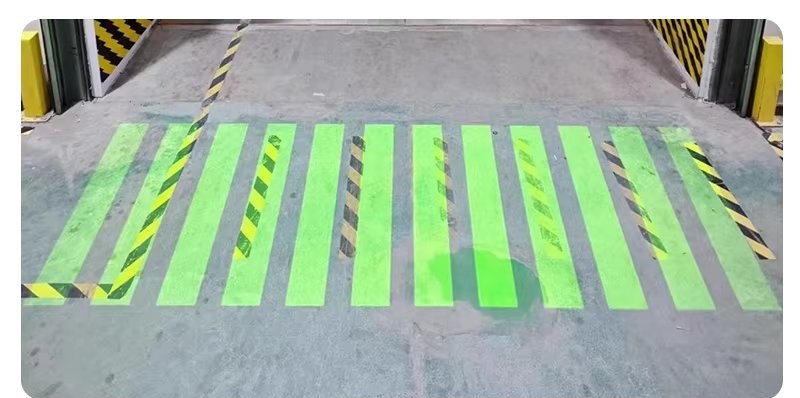
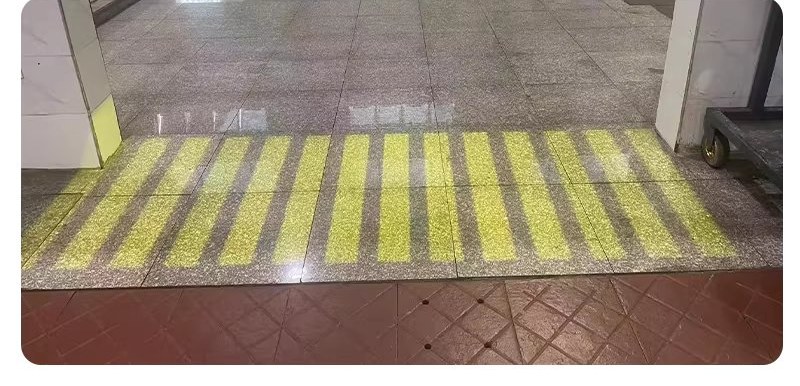
3. Pedestrian crossing band
A green or yellow band 1–1.5 m wide marking the walking route across the dock face, with a painted or projected stop line for pedestrians 1 m before the vehicle path. If your site uses green for walkways, keep green here: a new colour scheme is a training project, not a purchase.
4. Sensor-triggered STOP
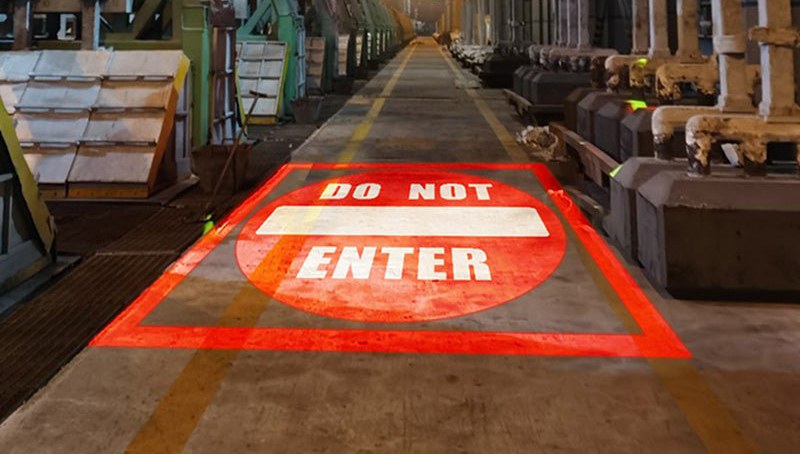
This is the layout that projection does better than any other medium. A dual-lens projector such as the 2T-M200 holds a routine notice — a forklift symbol, a "keep clear" message — and switches to a red STOP sign the moment a motion sensor sees a vehicle in the shared zone. The warning appears where the conflict is, at the moment it exists, and disappears when it does not. Nothing painted can do that, and a permanently visible STOP sign quickly becomes wallpaper.
5. Trailer alignment box
A projected outline on the floor inside the dock, aligned with the trailer centre line, gives the loader a reference for pallet placement and tells the spotter whether the trailer is square to the door. A thin laser line is the better tool here than a wide LED band: the edge has to be exact, not bright.
6. Leveler edge boundary
A red line 200 mm back from the leveler edge — the fall hazard that catches new staff and agency drivers. Combine it with a no-go zone marked on the floor rather than a single hairline: people step over lines, but they tend not to walk through a hatched band.
7. Apron warning zone
Outside the door, a wider warning band that appears at night or during shunting, warning pedestrians that vehicles may reverse without warning. This is the one case where an outdoor-rated housing and a high-output unit (300–600 W) are usually needed, because the apron is lit only by floodlights and vehicle work lights.
Colour rules that survive shift change
| Colour | Use it for | Do not use it for |
|---|---|---|
| Red | Stop, prohibition, no-go, leveler edge | Walkways — red reads as danger, not guidance |
| Yellow | Vehicle lanes, crossings, caution zones | Emergency egress routes |
| Green | Pedestrian walkways, safe routes | Machine zones where green already means "running" |
| Blue / white | Equipment zones, pick faces, information | Anything that must read as a warning |
Whatever you choose, write it down and match it to the signage on the wall. A dock where the floor says green and the sign says yellow is a dock where nobody trusts either.
Standards, briefly
In the US, OSHA 29 CFR 1910.176(a) requires aisles and passageways to be kept clear and appropriately marked, and 1910.178 governs powered industrial truck operation and training; ANSI/ITSDF B56.1 covers the trucks themselves. None of those documents specifies a projection product, and this article is not legal advice. The practical reading: projection satisfies the visibility intent of floor marking while your traffic plan, barriers, signage and training still do the legal work. Run the layout past your EHS team before you install it.
How to lay one out
- Stand where the driver sits. Note what you can see and what appears without warning. The blind spot you find is the one the sensor should cover.
- Draw the routes on paper: vehicle path, pedestrian path, and every crossing point.
- Measure each line and the throw distance to a mounting point (wall, column, door frame). The lens follows from those two numbers.
- Choose the mounting height above the highest load that passes, and off the traffic face so nothing clips the unit.
- Pilot one door, run it for two weeks across both shifts, then copy the layout that people actually obey.
FAQ
Can projected markings replace barriers at a dock door?
No. Light does not stop a forklift. Projection is a visibility and communication tool; physical barriers, wheel chocks, dock locks, signage and traffic rules remain the actual protection.
Will a projection be visible when the door is open on a bright day?
Inside the building, yes — the contrast between a shadowed interior and daylight outside usually helps. On a sunlit apron, projection competes badly with 10,000 lx of daylight; plan apron lines for night and low-light shifts, or use signage and paint there.
How many units does one dock door need?
Typically one to three: one for the threshold bar and approach, one for the pedestrian crossing, and one dual-lens unit where vehicle and pedestrian paths cross blindly. A single 100–150 W marker can often cover two adjacent doors if the geometry allows.
What happens when the layout changes?
You re-aim. That is the whole point at a dock, where trailer schedules and peak seasons move the traffic pattern far more often than the racking does.